Express · Room Unstaging

Remove furniture from photos.
Reveal the empty room.

Clear the clutter, reveal the space. Remove existing furniture and clutter to reveal the bones of a room — perfect for showing true dimensions and layout potential.

Express · Works in any browser
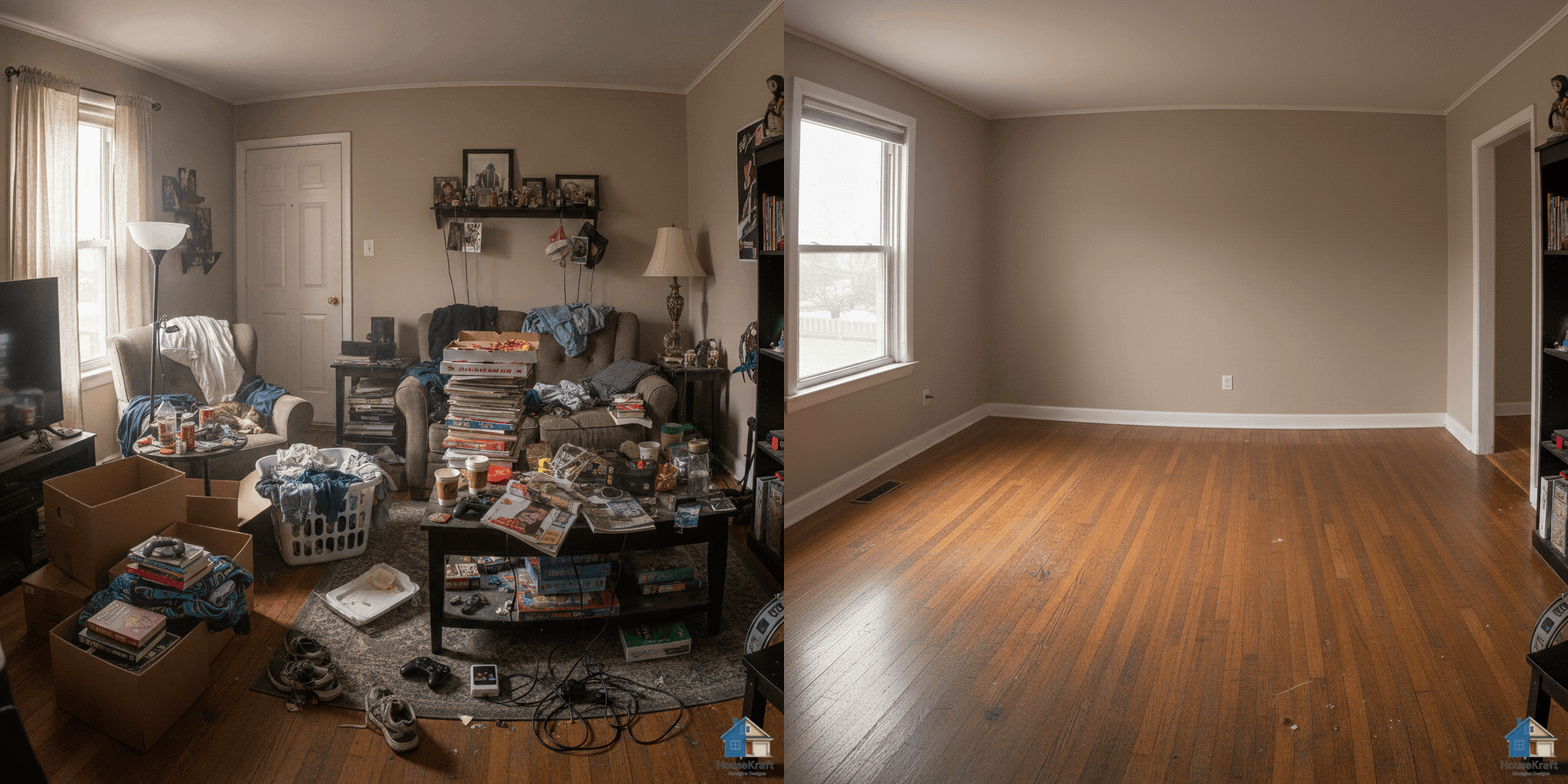
AI furniture removal showing an emptied room
See It In Action

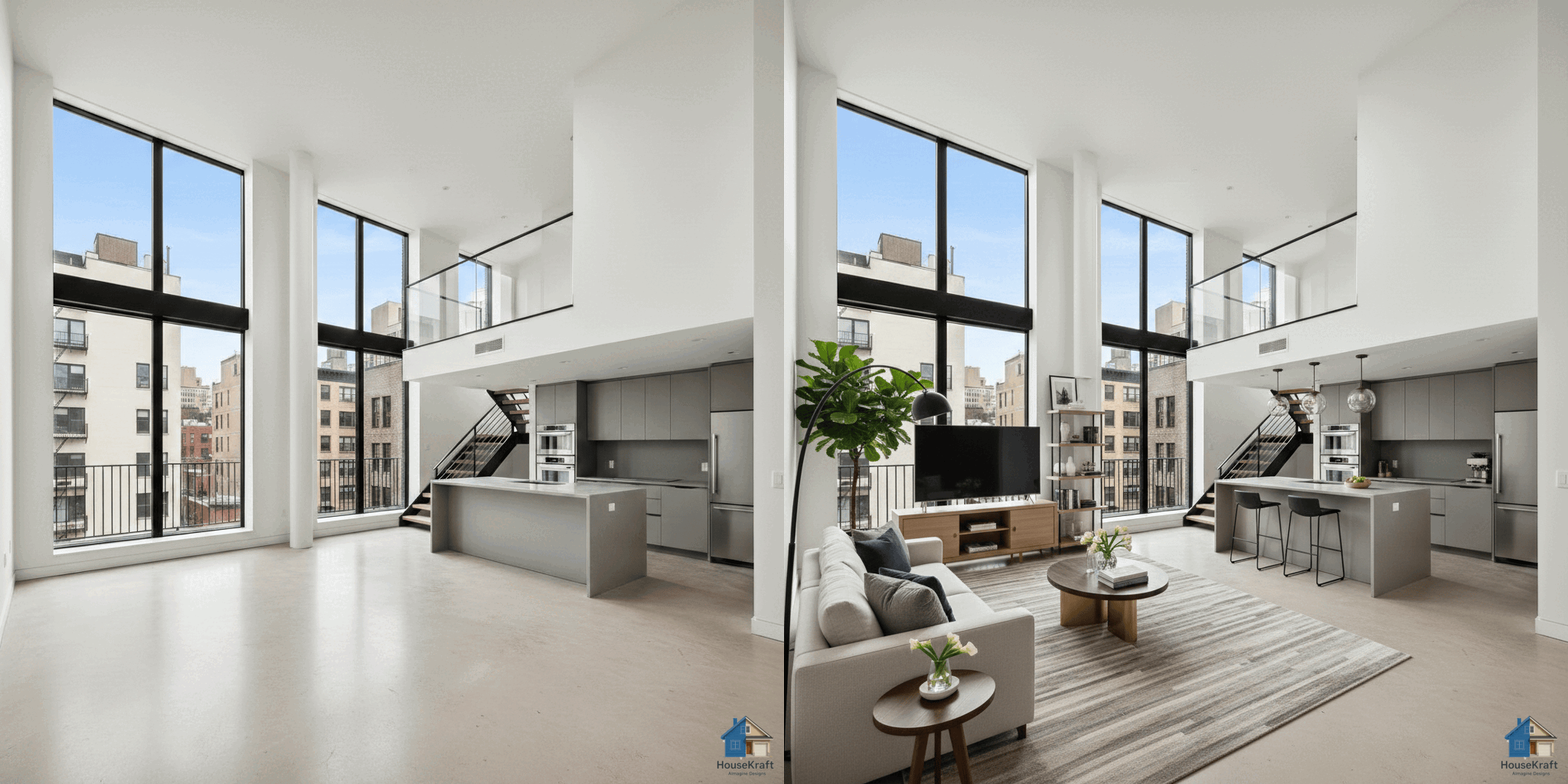
Before and after,
side by side.

Drag the handle to compare. Real HouseKraft results.

After: Furnished → empty — AI furniture removal Before: Furnished → empty — AI furniture removal
BeforeAfter
Furnished → emptyDrag to compare
After: Cluttered → clear — AI furniture removal Before: Cluttered → clear — AI furniture removal
BeforeAfter
Cluttered → clearDrag to compare
What it does

AI furniture removal and virtual decluttering

Sometimes the furniture is the problem. Room Unstaging strips a busy space back to its bones so buyers can see the true size, light, and layout — a clean canvas that's easy to reimagine.

Why use it

Key advantages.

Show the real space

Reveal dimensions hidden by clutter.

A clean canvas

Give buyers room to imagine their own furniture.

Pair with staging

Unstage, then restage in any style.

Quick Try

Try Room Unstaging right here.

Upload a photo below and see it in action. No sign-up required for your first try.

FAQ

Questions,
answered.

How do I remove furniture from a room photo?

Upload the photo to Room Unstaging. HouseKraft removes the furniture, rugs and decor and returns the empty room.

Can I restage the room after emptying it?

Yes. Empty the room, then use Room Staging or a design theme to furnish it in a new style.

Can I empty a whole listing at once?

Yes. Bulk Unstaging empties up to 50 photos in one job.

Keep Exploring

More AImagine tools.

Ready to tryRoom Unstaging?

Upload a photo and see it in seconds. No credit card, no commitment.